The work
Real estate inquiries need to be captured, classified, assigned, acknowledged, followed up, scheduled and organised across email, calendar, Google Drive and Google Sheets.
The friction
Handled by hand, someone repeatedly copies lead information between systems, works out the inquiry type, sends updates, schedules follow-ups, creates supporting records, and makes sure the next step is not forgotten.
The system
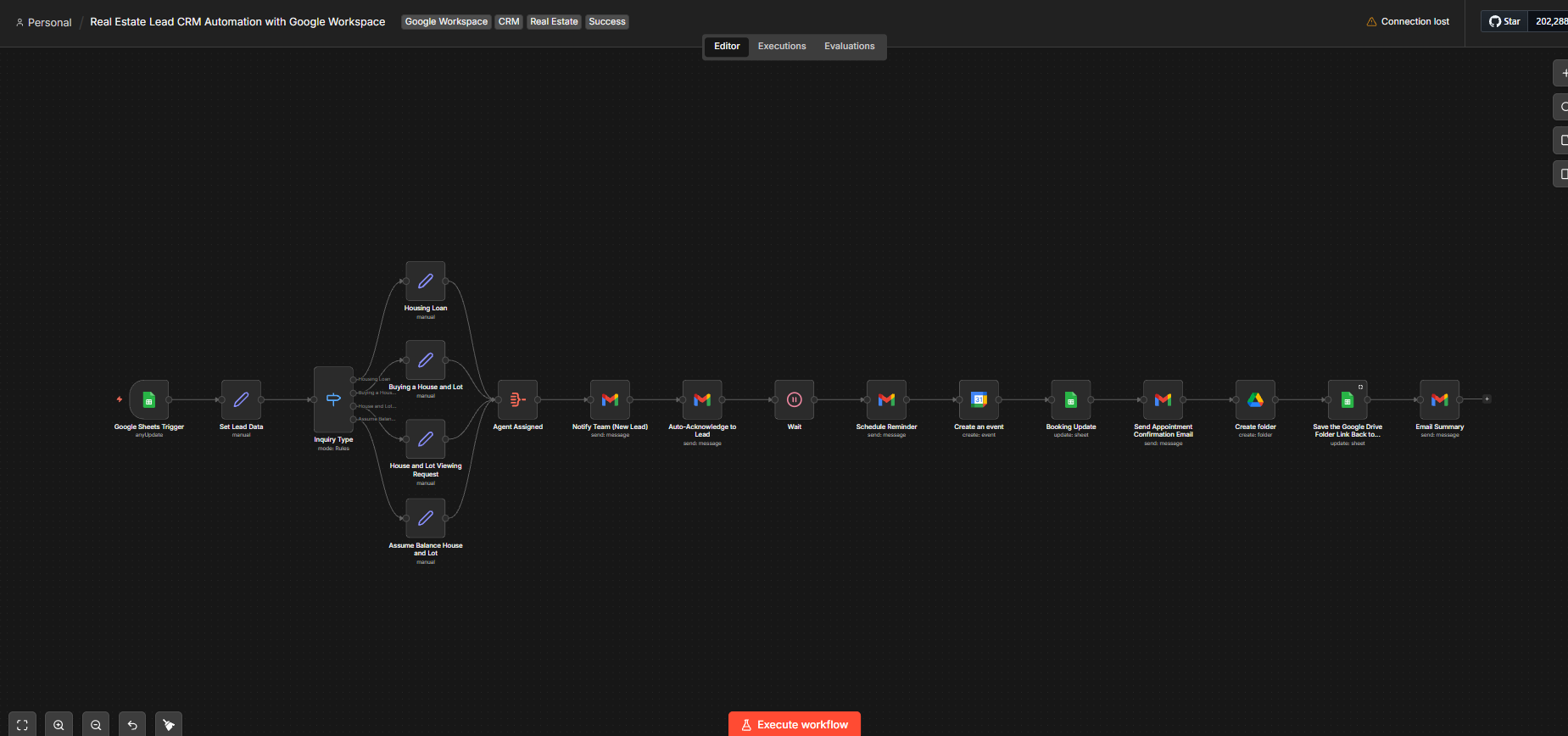
A new row in Google Sheets starts the run. The inquiry type decides which of four paths the lead follows.
- Google Sheets Trigger
- Set Lead Data
- Inquiry Type
Branches on
- Housing Loan
- Buying a House and Lot
- House and Lot Viewing Request
- Assume Balance House and Lot
- Agent Assigned
- Notify Team about New Lead
- Auto-Acknowledge to Lead
- Wait
- Schedule Reminder
- Create Calendar Event
- Booking Update
- Send Appointment Confirmation Email
- Create Google Drive Folder
- Save Google Drive Folder Link Back to Google Sheets
- Email Summary
What it handles
- Lead intake
- Inquiry classification
- Operational routing
- Agent assignment
- Internal team notification
- Acknowledgement email
- Reminders
- Calendar event creation
- Booking updates
- Appointment confirmation
- Google Drive folder creation
- CRM and sheet record synchronisation
- Summary email
What stays human
Everything that requires judgment about the lead remains with the agent.
- The real sales conversation
- The relationship with the lead
- Nuanced qualification
- Scheduling changes
- Final business decisions
- Overrides when routing or assignment needs judgment
The principle
The workflow moves the paperwork. The conversation stays with a person.
Exceptions
These are cases that may need review or correction. They are not presented as implemented exception handlers.
- Missing contact details
- Incomplete inquiry information
- Unclear inquiry type
- Duplicate entries
- Scheduling conflicts
- Email delivery failure
- Calendar creation problems
How it improves the workflow
The workflow reduces repetitive lead administration and creates a consistent path from inquiry capture through follow-up and record organisation.
Who it’s for
- Real estate agents & brokers
- Small property management teams
- Sales teams with high lead volume
- Businesses using Google Workspace
- Anyone drowning in manual lead tracking